
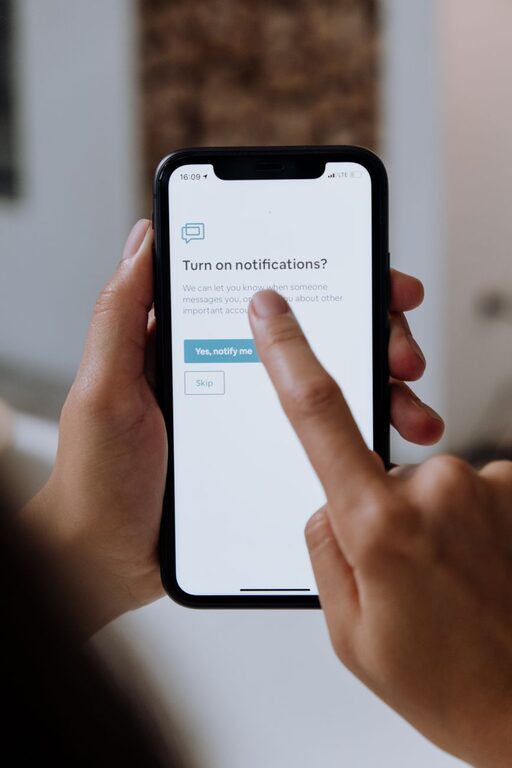
In today’s digital world, notifications are everywhere—from emails and social media to messaging apps and news alerts. While these notifications can keep us informed and connected, they often interrupt our concentration and increase stress. Setting boundaries with notifications is essential for maintaining focus, improving productivity, and fostering better work-life balance.
In this post, we’ll explore effective strategies to manage notifications thoughtfully and regain control over your digital environment.
Why Set Boundaries with Notifications?
Notifications are designed to grab your attention, often disrupting your flow of work or relaxation. Constant interruptions can:
– Reduce concentration and increase errors
– Cause stress and burnout
– Lead to multitasking, which lowers productivity
– Make it difficult to fully disconnect during personal time
By setting clear boundaries, you can create a healthier relationship with technology and be more intentional about when and how you engage with digital alerts.
How to Set Boundaries with Notifications
1. Audit Your Notifications
Start by reviewing all the apps and services sending you alerts. Ask yourself:
– Which notifications are truly essential?
– Which ones can wait or be checked manually?
– Are there apps you rarely use that still send frequent alerts?
Go through your device settings (both smartphone and computer) and disable notifications for non-essential apps.
2. Customize Notification Settings
Most smartphones and computers let you customize how and when notifications appear. Consider:
– Turning off sound and vibration to reduce distraction.
– Using “Do Not Disturb” modes during work hours or sleep time.
– Scheduling notification summaries to receive non-urgent updates at specific times.
Tailor these settings based on your daily routine to minimize interruptions during focus periods.
3. Set Specific Time Blocks for Checking Notifications
Instead of responding to notifications immediately, designate times during the day to check and respond to messages and alerts. For example:
– Check emails only three times a day (morning, afternoon, end of workday).
– Limit social media checks to short breaks.
This approach helps prevent constant task-switching and allows deeper focus on important work.
4. Use Priority Notifications or VIP Lists
Most devices allow you to mark contacts or apps as “priority” so you only get alerts from important sources when notifications are otherwise silenced. Set up:
– Priority contacts (family, close colleagues) to receive notifications anytime.
– Critical apps for work or emergencies.
This ensures you don’t miss urgent messages while still minimizing distractions.
5. Turn Off Notifications During Meetings and Focus Time
During meetings, brainstorming sessions, or focused work blocks, silence notifications to respect your attention and that of others. You can:
– Use built-in “Focus Mode” or “Do Not Disturb” features.
– Put your phone on silent or in another room.
By removing temptation or interruptions, you improve your ability to participate fully and produce quality work.
6. Use Apps to Manage Your Notifications
Some third-party apps can help organize and limit notifications. Examples include:
– Apps that summarize notifications in batches.
– Tools that block distracting apps during work hours.
– Notification managers that prioritize alerts.
Research and try apps that fit your needs and help you maintain boundaries.
7. Communicate Your Boundaries to Others
Let friends, family, and coworkers know your notification preferences and availability. For example:
– Inform others about your focus hours when you won’t respond immediately.
– Set expectations about response times for non-urgent messages.
Clear communication helps others respect your boundaries and reduces pressure to reply immediately.
8. Evaluate and Adjust Regularly
Digital habits and work demands change, so revisit your notification settings regularly. Ask yourself:
– Are my current boundaries effective?
– Am I still receiving unnecessary interruptions?
– Have priorities shifted?
Make adjustments as needed to maintain a healthy balance.
Benefits of Healthy Notification Boundaries
By managing notification boundaries wisely, you can enjoy:
– Increased focus and productivity
– Reduced stress and anxiety
– Better control over your time
– More meaningful interactions
– Improved work-life balance
Taking control of notifications is a simple but powerful step toward a more intentional and balanced digital life.
—
Setting boundaries with notifications doesn’t mean cutting yourself off—it means choosing when and how to engage so you can stay focused and present. Start with small changes, experiment with techniques, and find what works best for your lifestyle. Your mind and your schedule will thank you!
About the Author